

CheX (pronounced “Che-Xross”) lets you view – write – share – export drawings, documents and site photos from iPad, iPhone and Android. Developed with the Kajima group since 2011, it is the flagship app of YSL APPS.
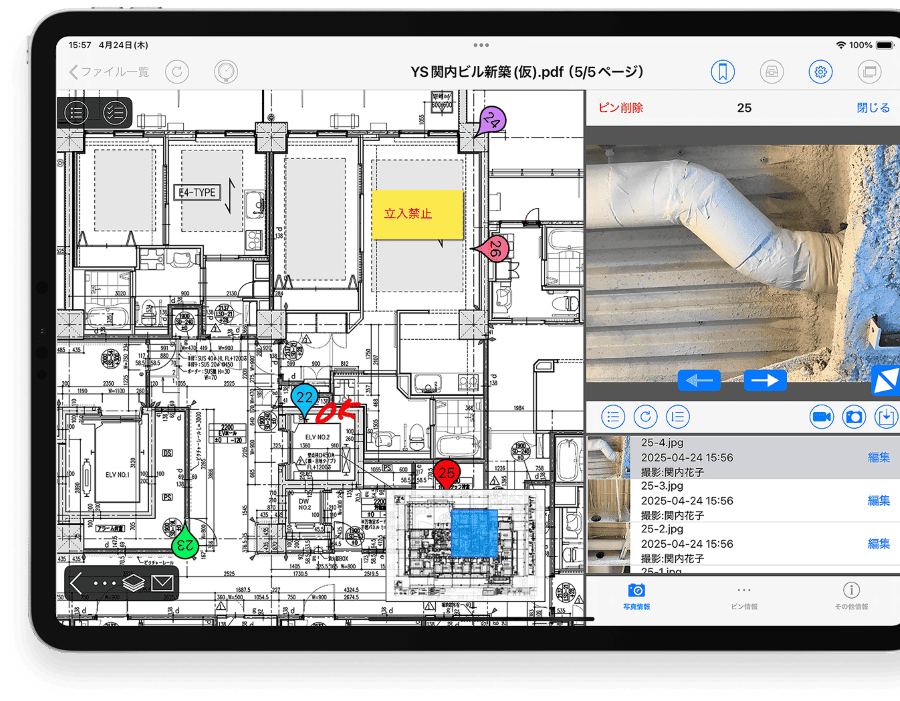
Not just a tool that “can do it”, but one that is genuinely usable and useful.
The office uploads drawings, documents and schedules to CheX.
The site syncs them to the iPad and can work without a connection.
Pin photos and notes to the right spot; several people can write at once.
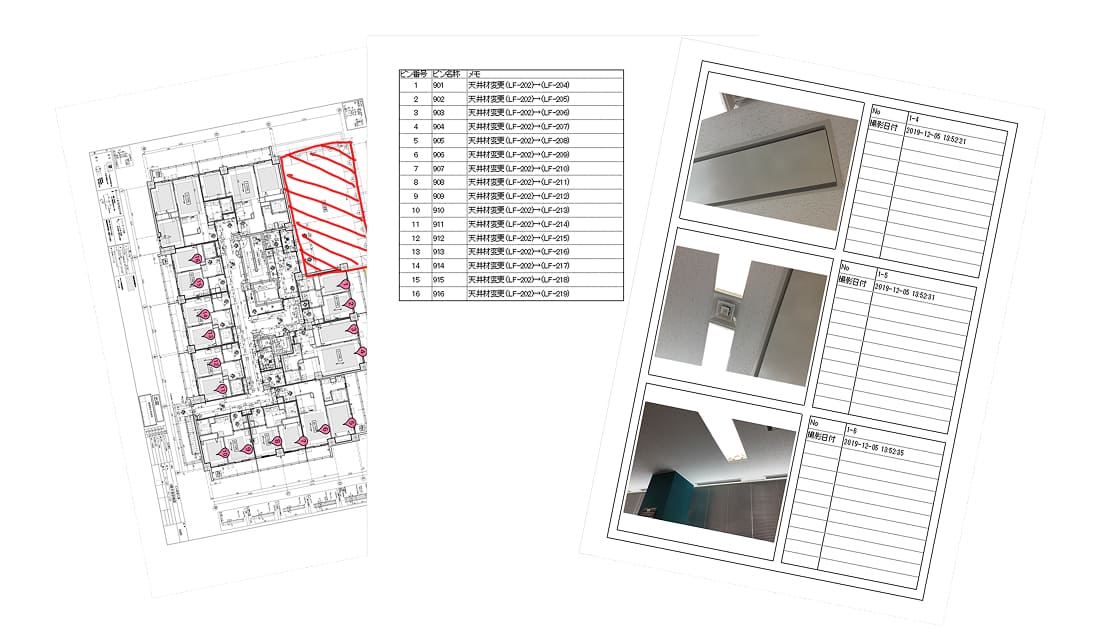
Data is consolidated automatically — the office only needs to print.
Supported formats:
CAD: .dwg .dxf .jww .jwc .tfs .tfx .dcc .dcm .zdu .zdx .reb .zdw
Documents: .pdf .txt .ppt .pptx .doc .docx .xls .xlsx
Photos & video: .jpeg .jpg .png .gif .tif .tiff .mp4 .m4v .mov
BIM: .ifc (exported from Rebro, CADWe’ll Tfas…), .rvt
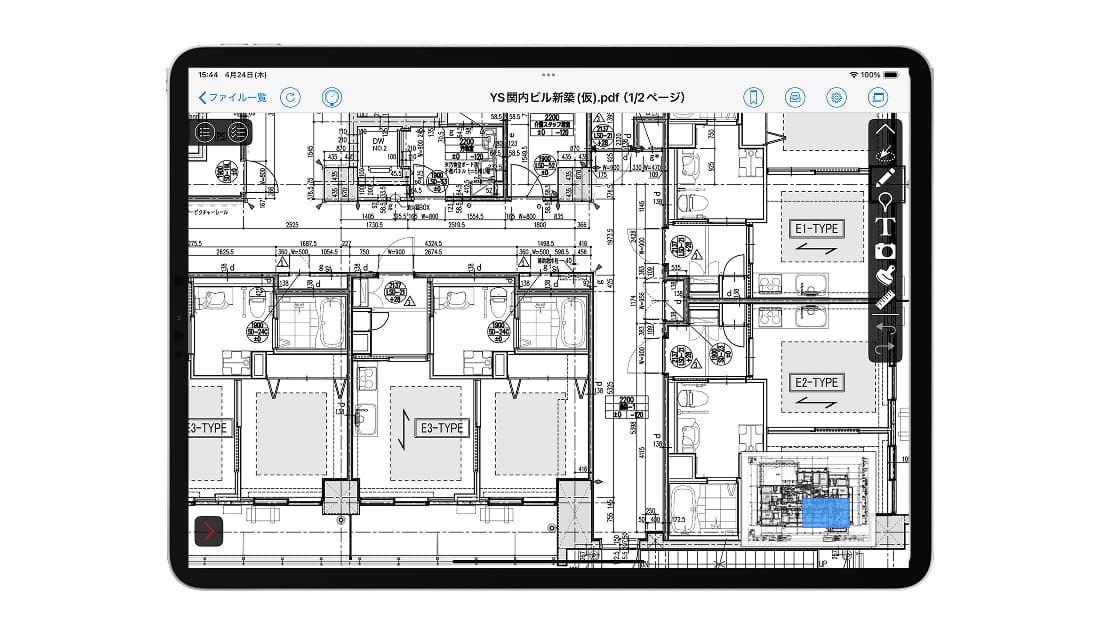
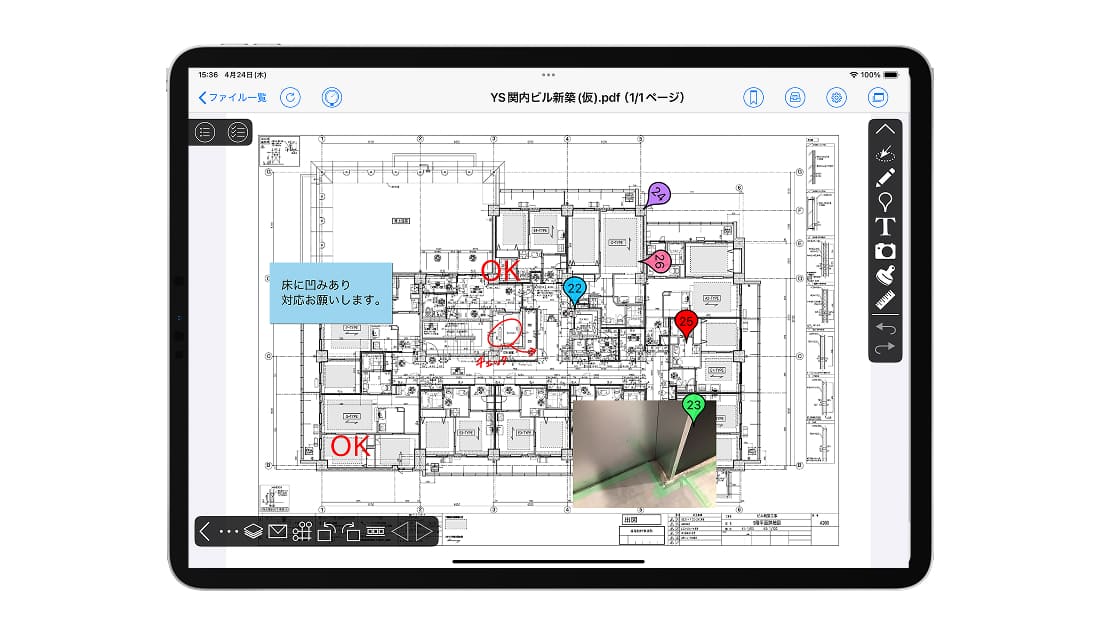
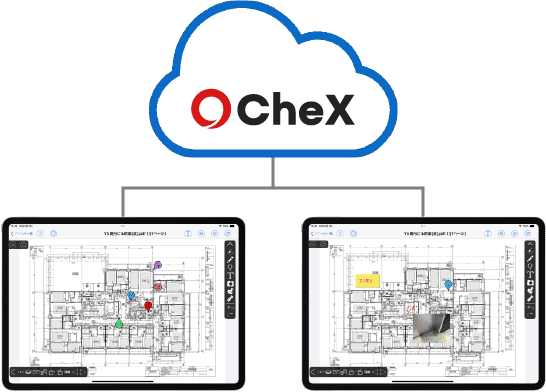
The office only prints — no need to consolidate everything again.
Many options are free; some advanced features are charged as a percentage of the base fee.
View the 3D model in real time on site and select a pipe system by swiping across the model — nothing gets missed.
Automatically capture readings for illuminance, insulation resistance, earthing, airflow, pipe gradient and more, with pass/fail judgement and report generation.
View documents → share → complete the report on site (a separate XC-Gate/XC-INO subscription is required).
Print a QR code on paper drawings; scan it to confirm the version or open the matching file.
Pin locations on a map to reach related documents; import files from storage services into CheX.
Personal device authentication, IP restriction, AAD multi-factor authentication, plus management and sync tools for large rollouts.
Attach a QR code to paper drawings and scan to confirm the latest version — avoiding demolition caused by design changes.
Measure polygon areas by tracing the shape on the drawing instead of using a scale rule — handy for concrete volumes.
360° photos let remote colleagues see the site, cutting trips between projects.
Bluetooth meters send readings straight into CheX, removing transcription and calculation errors.
Register the criteria in advance; results appear on site, so no return trips to re-measure.
Route mode lets you trace the measuring order with a finger — no need to select each illuminance or socket point again.
Trace the order of measuring points and the result form is generated automatically.
Select the pipe system on the 3D model with a finger so no test object is missed.
Combine a Bluetooth meter with an extension pole to reduce work at height (with CheX BIM).
On high-rise projects, returning to the office for documents wastes a lot of time. After digitalising drawings: fewer trips, no heavy paperwork to carry, and less risk of losing documents. Result: higher productivity, less overtime, better margins.
Reports used to require a PC back at the office; now they are finished on the iPad on site. Result: more time for new project development and a friendlier workplace for staff with families.
Everything from measuring to judging results is digitalised, cutting transcription errors and re-measurement. One person can measure alone, freeing staff for other sites.
Cavities between inner and outer walls, pit piping and under-floor spaces are checked faster. Result: lower preparation costs, no scaffolding at height, and accidents prevented.
All internet traffic uses SSL certificates with 256-bit encryption strength.
Data is stored at three locations in Japan for high durability, meeting BCP requirements.
Only authorised users can view drawings and notes; permissions are set per folder and per person.
iPad, iPhone, Android (some features limited) and a web version on PC. Interface: Japanese, English, Chinese.
Prices are in VND, VAT excluded, converted from the original price list at the rate of 173 ₫/¥ (updated 08/2026) and may change with the exchange rate; the official quotation is confirmed at contract signing.
| Server fee | Storage | Price / month |
|---|---|---|
| Initial storage | 5GB | 865.000 ₫ |
| Additional storage option | +5GB each | 519.000 ₫ |
| User ID fee | Unit | Price / month |
|---|---|---|
| 1 – 10 ID | 1 ID | 519.000 ₫ |
| 11 – 50 IDs | 1 ID | 433.000 ₫ |
| 51 – 100 IDs | 1 ID | 346.000 ₫ |
| 101+ IDs | 1 ID | 260.000 ₫ |
| Paid optional features | Applies to | Price |
|---|---|---|
| Grid axis feature | — | 6% of the base fee |
| Personal device authentication | iPad / iPhone / Android | 5% of the base fee |
| IP address restriction | PC | 5% of the base fee |
865.000 ₫ (5GB server) + 433.000 ₫ × 12 IDs = 6.055.000 ₫/month (VAT excluded).
The ID unit price follows the total number of contracted IDs: 12 IDs fall in the 11–50 ID band, so all 12 IDs are charged at 433.000 ₫/ID · Minimum configuration 5GB / 1 ID · Files converted to the YSL APPS format do not count towards storage · For reference: 5GB ≈ 5,000 PDF files of 1MB or ≈ 26,200 photos of 200KB · Tools for large-scale rollouts (sync, management) are sold separately.
Send us a sample drawing and we will run a live demo and estimate the concrete benefits for your site.