
Home / Products / LAXSY

Finishing inspection: record a defect in just two taps

LAXSY supports record – manage – share – export corrective instructions for finishing inspection and every other kind of inspection. The inspection master can be freely adapted to the building type: apartments, hospitals, factories… The app available in Vietnamese.
LAXSY on iPad
What is LAXSY

A tool built for inspection work

Developed with Toda Corporation as a dedicated “inspection work support service”.

Before

  • Hard to record instructions and notes on site
  • Hard to keep track of items needing correction
  • Producing documents and forms takes too long

After

  • Record a corrective instruction in two taps
  • Correction status visible immediately
  • Instructions sorted and exported automatically per subcontractor

How LAXSY is used

Preparation

The office uploads the drawings and registers the inspection master.

Inspect on site

Place a pin on the drawing, then pick the defect item and the subcontractor.

Export corrective instructions

The system splits instructions per company; the office just prints them.

Correction & reporting

The subcontractor fixes the issue, takes an “after” photo and reports completion; the pin changes colour.
Features

LAXSY is simple because it has only four core features

01RECORD
02MANAGE
03SHARE
04EXPORT

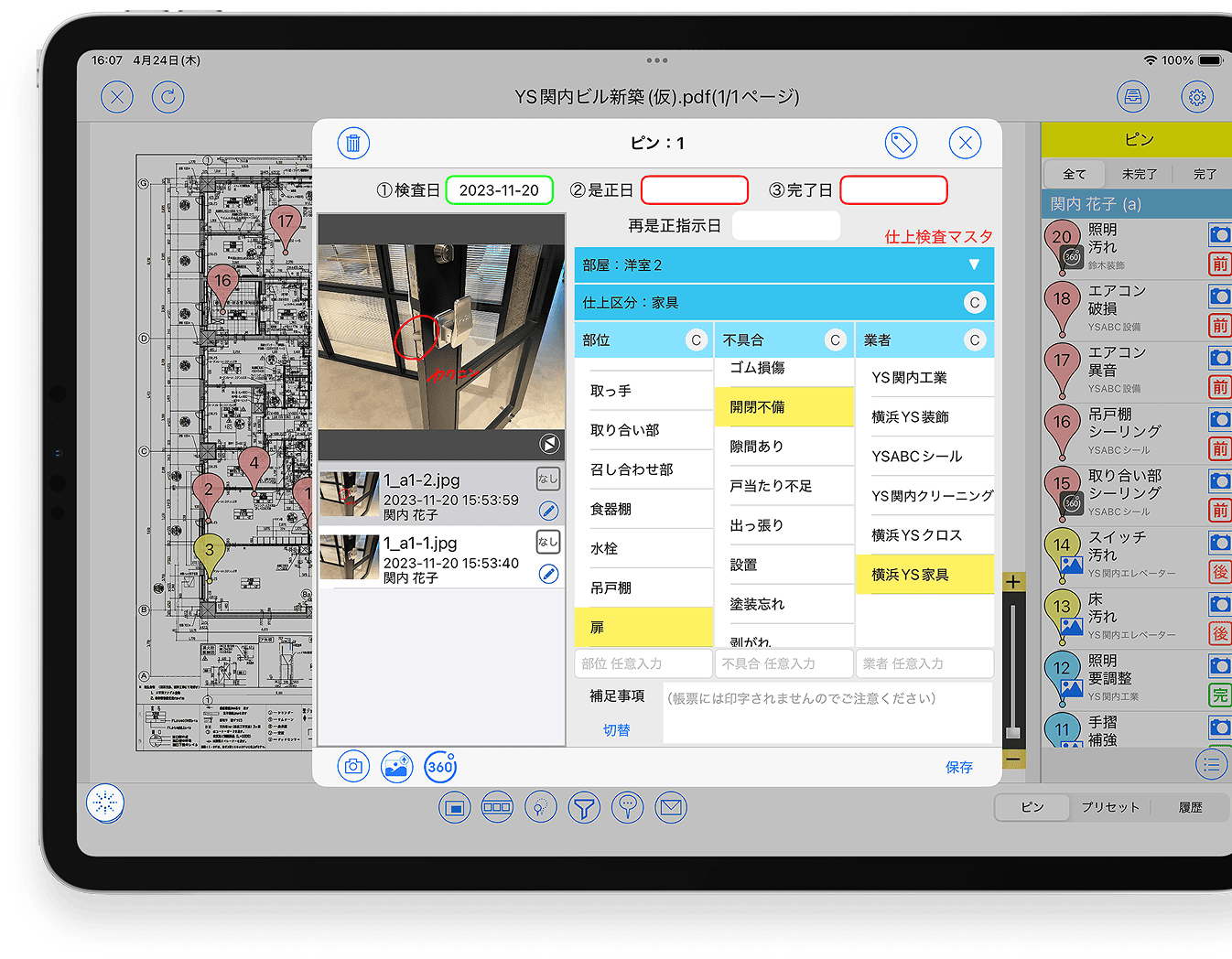
Two taps and the instruction is done

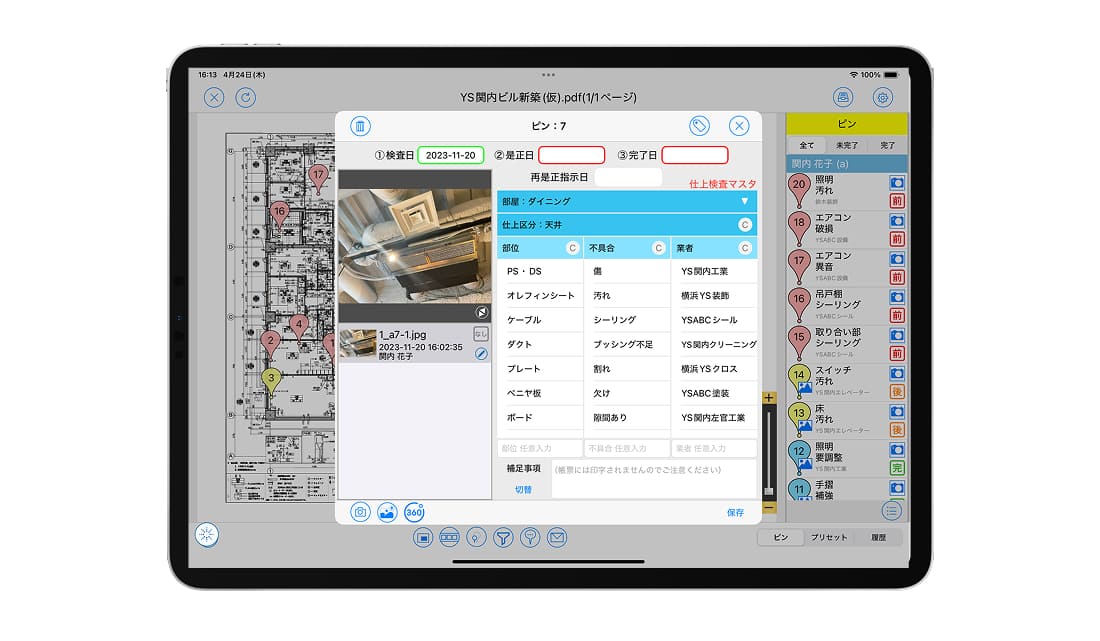
  • Step 1: tap the location you want to flag to drop a pin
  • Step 2: pick the defect item and responsible subcontractor from the list
  • Items come from a list, so wording is standardised — no more personal abbreviations
  • Photos are stored in the pin itself; add freehand notes when words are not enough
  • RICOH THETA 360° photos: import, crop, edit and share
  • View and record even without a connection
  • Pins
  • Pick from a list
  • Inspection info card
  • Presets
  • 360° photos
  • Freehand notes
Recording an instruction in LAXSY

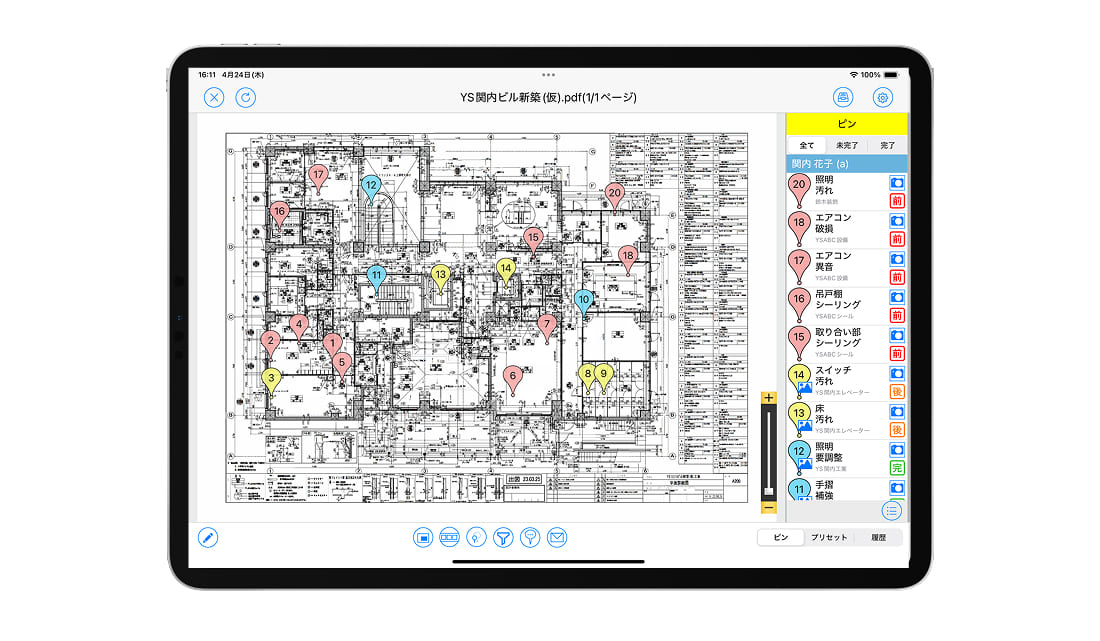
Pin colour tells you the correction status

  • Pins change colour by progress: not started / in progress / completed
  • Photos are tagged “before correction” and “after correction”
  • Manage by responsible party and by the person who recorded the instruction
  • On PC: search by defect item, inspection date, status and progress
  • Colour-coded pins
  • PC management
  • Tab-based management
Tracking correction progress in LAXSY

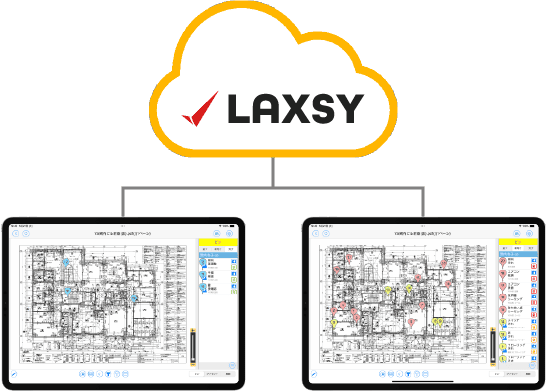
Several inspectors work on the same drawing at once

  • Everyone’s inspection records are consolidated and shared instantly
  • Email notifications to stakeholders
  • Chat integration: drawing updates and new instructions are pushed to AQuick, Microsoft Teams and LINE WORKS
  • Automatic merge
  • Email notifications
  • Chat integration
Sharing inspection results

Corrective instructions split automatically per subcontractor

  • Defect instructions, inspection result reports, completion reports
  • Before/after photo reports, analysis reports and CSV export
  • Export to Excel; the layout can be customised to owner requirements or internal rules (optional)

No more sorting instructions company by company — office work is a few minutes of printing.
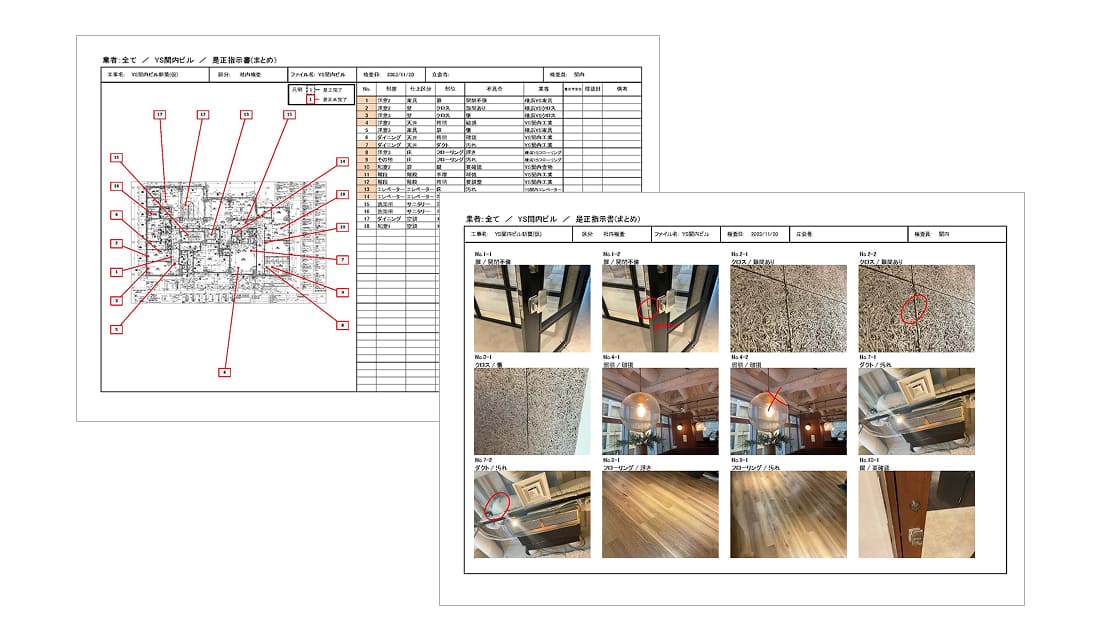
  • Corrective instructions
  • Before/after reports
  • CSV
  • Custom form layouts
Exporting forms from LAXSY
Other features & options

Simple setup, tight control

📋

Flexible masters

Arrange inspection items and instruction wording freely by purpose: apartments, hospitals, factories… Extra masters are available as an option (up to 10).

🗂️

Clear folder structure

Organise documents in a folder tree with inspection progress shown at each level.

🔐

Granular permissions

Set View / Annotate / File operations / Folder operations rights per user, with optional device authentication and IP restriction.

By role

For both the inspecting and the correcting side

Nothing gets missed

Owners point out defects verbally and inspectors abbreviate in their own way, so information gets lost. With LAXSY it takes two taps from a list, and the wording is standardised.

Reports on the day of inspection

Forms are generated automatically so the owner does not wait, and office reporting time drops sharply.

Clear instructions, no misunderstandings

Each instruction carries the location on the drawing, the defect and a photo — instead of verbal hand-off.

Know in advance whether the site is ready

360° photos shared before the visit avoid arriving to find the work unfinished.

Transparent correction tracking

Each item’s status is colour-coded, with before and after photos.

Tidy handover records

All instructions and photos are stored per project and can be exported to Excel/CSV for cross-checking.

Results

Figures from projects using LAXSY

General contractor A
2 hours5 minutes

Time to issue corrective instructions to subcontractors. With automatic sorting, printing takes just five minutes — fast enough even for tight finishing schedules.

Subcontractor B
≈ VND 1.4 billioncost saved

Three people used to print and consolidate information; now one is enough. The ≈ VND 770,000 per person-hour spent on manual work is gone (converted from figures published in Japan).

Why customers choose LAXSY

  • “Because anyone can use it easily.”
  • “Because it is designed around many people sharing information.”
  • “Because consolidating and sorting work disappears.”
Security & system requirements

Security for inspection and handover data

Encrypted connections

SSL on all connections, with 256-bit encryption strength.

Three-site storage

Data is stored at multiple sites in Japan, meeting BCP requirements.

Permissions & IP restriction

Only authorised users can view drawings and notes; device authentication and IP restriction are available as options.

Devices & languages

iPad, iPhone and a web version on PC. Interface: Japanese, English, Chinese, Vietnamese.

Pricing

Priced per project, per month — no setup fee

Prices are in VND, VAT excluded, converted from the original price list at the rate of 173 ₫/¥ (updated 08/2026) and may change with the exchange rate; the official quotation is confirmed at contract signing.

ItemUnitPrice / month
Server fee (initial storage)1GB173.000 ₫
User ID fee: 1 – 10 IDs1 ID1.730.000 ₫
User ID fee: 11+ IDs1 ID1.211.000 ₫
AQuick ID licence (shared LAXSY server)1 ID104.000 ₫
Additional inspection master (up to 9 extra masters)1 master865.000 ₫
Personal device authentication (iPad)5% of the base fee
IP address restriction (PC)5% of the base fee

Example quotation — 5 IDs with one extra master

173.000 ₫ (1GB server) + 1.730.000 ₫ × 5 IDs + 865.000 ₫ (extra master) = 9.688.000 ₫/month (VAT excluded).

No setup fee (including rollout, master configuration and drawing registration) · Minimum configuration 1GB / 1 ID · One master included in the base fee · Files converted to the YSL APPS format do not count towards storage.

FAQ

Frequently asked questions about LAXSY

Can reports be exported separately for each subcontractor?
Yes. LAXSY can export per subcontractor, or only for selected subcontractors.
Can inspection items be changed freely?
Yes. Inspection items are managed through the master table and customers can adjust them freely.
Can it be used for inspections other than finishing inspection?
Yes. Because the master is fully editable, you can set up items for any kind of inspection.
Can the report layout follow our company template?
Yes, to owner requirements or a template your company specifies. This is an optional feature — please contact us.
How secure is the cloud?
LAXSY runs on AWS and meets international cloud security standards; data is encrypted and the app includes protection against unauthorised access.
How many devices can one ID be used on?
One ID is for one person with no device limit: it works on PC, iPad and iPhone. Sharing an ID between people is not allowed.
Can Vietnamese staff use it?
Yes. LAXSY supports Vietnamese in addition to Japanese, English and Chinese.
Which file formats are supported?
CAD: .dwg .dxf .jww .jwc .tfs .tfx .dcc .dcm .zdu .zdx .reb — Documents: .pdf .txt .ppt .pptx .doc .docx .xls .xlsx — Photos & video: .jpeg .jpg .png .gif .tif .tiff .mp4 .m4v .mov.

Try LAXSY with your own defect list

We set up the master for your building type and demo the full inspection → correction → instruction export flow.